
Analytics and reporting
Harness informed, data-driven insights to enhance staff performance, streamline call handling,
boost customer satisfaction, maximise marketing efforts, optimise staffing and gain clarity of expenses.
boost customer satisfaction, maximise marketing efforts, optimise staffing and gain clarity of expenses.
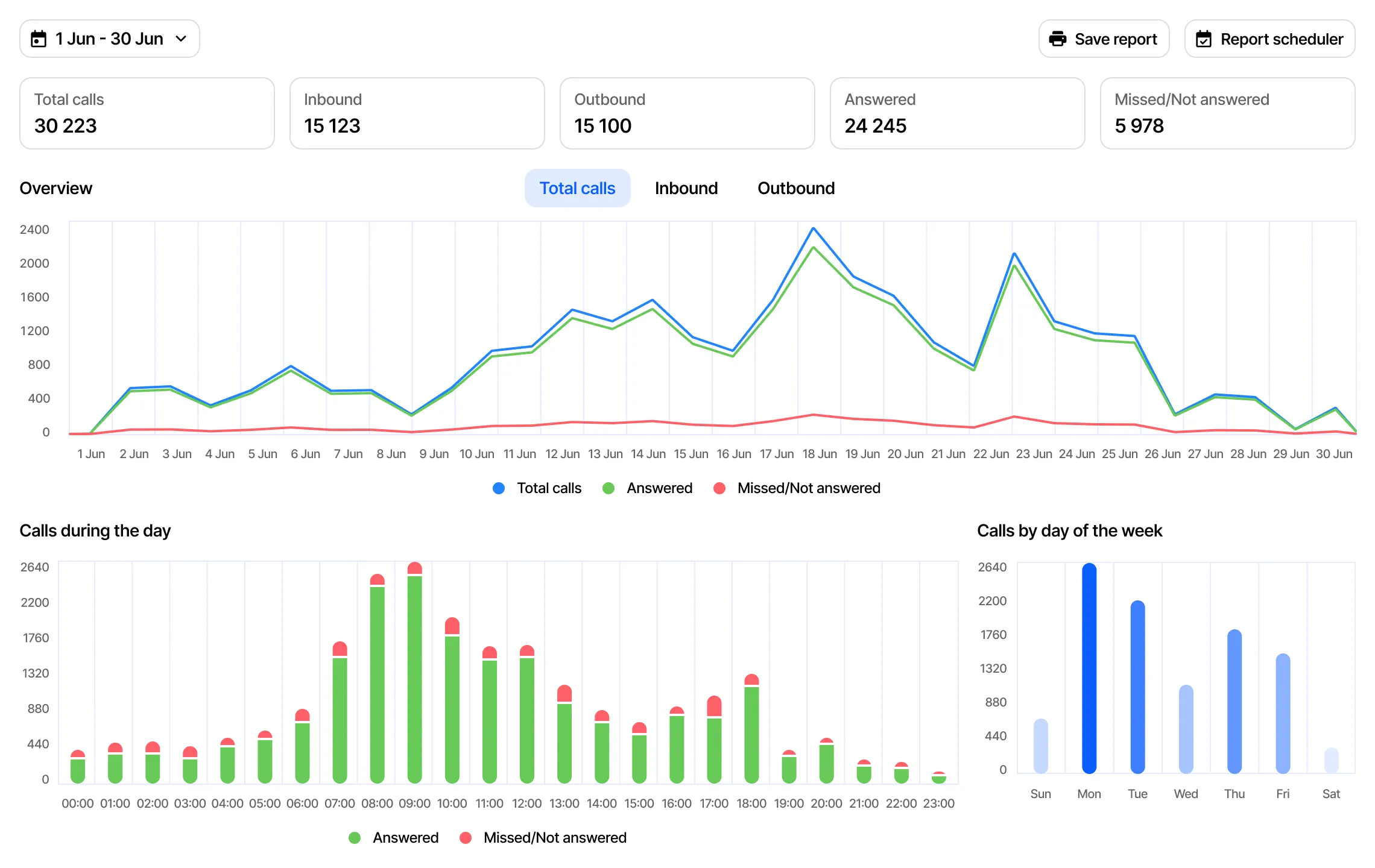
Analytics use cases for your business
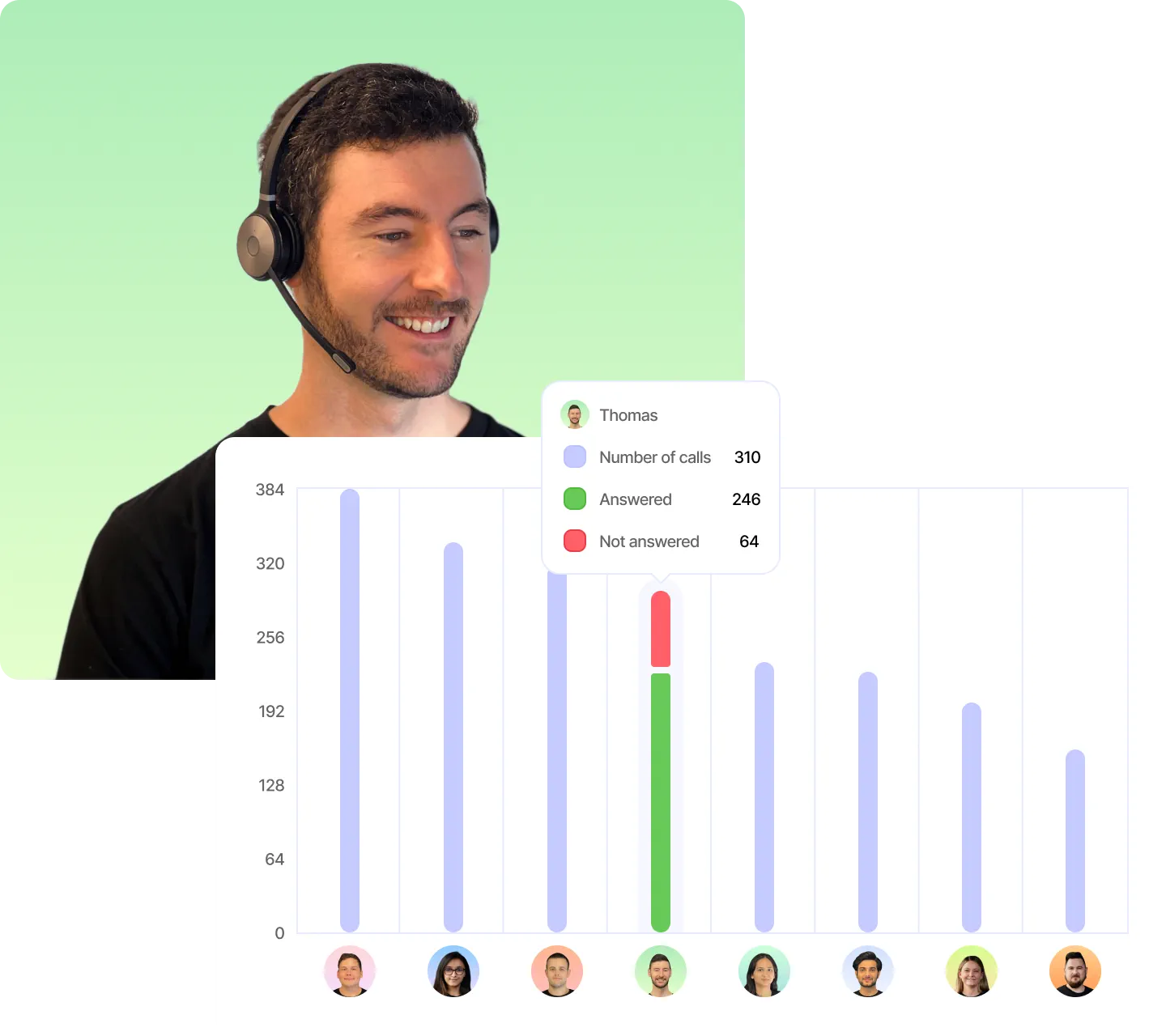
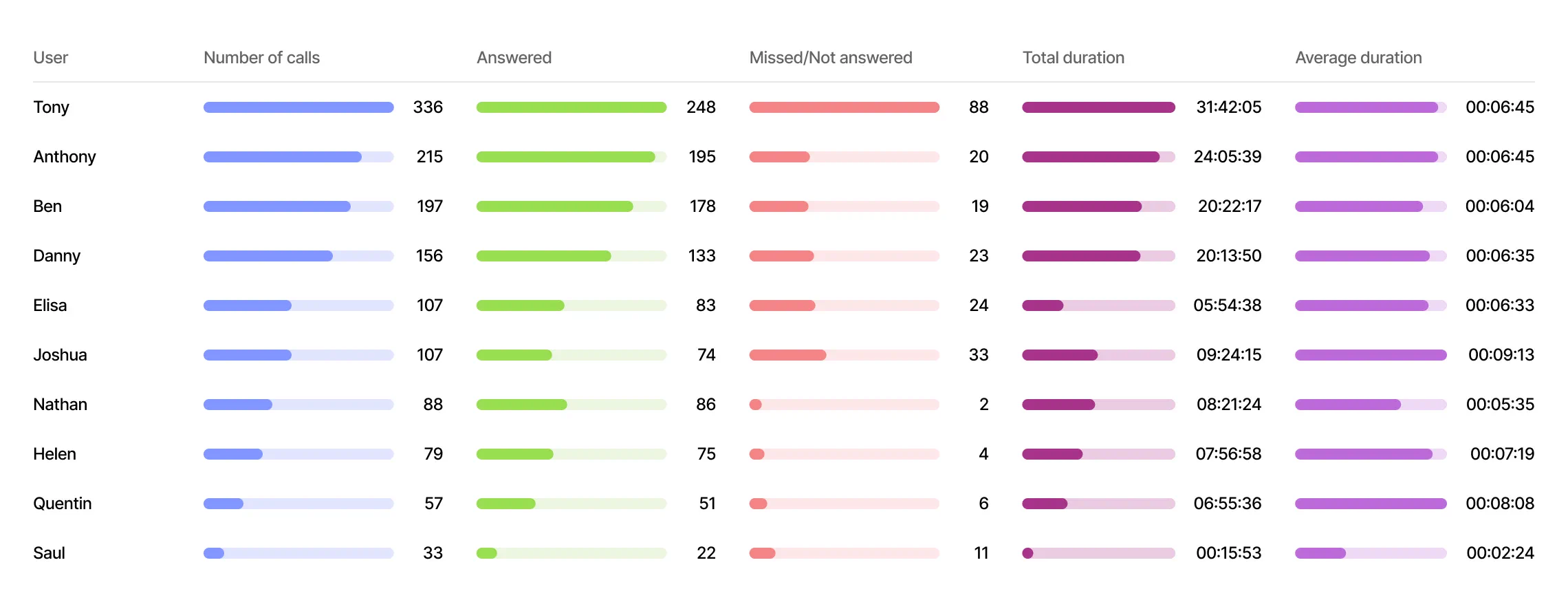
Staff performance
- Keep track of remote and office workers' call handling performance, with clear visibility of your top performers and any underperformers.
- Manage and monitor call recordings to aid in staff training and compliance efforts.
- Utilise the live listen and whisper feature for real-time call handling coaching.
Strategically allocate human resources
- Understand your staff's busiest periods for efficient allocation.
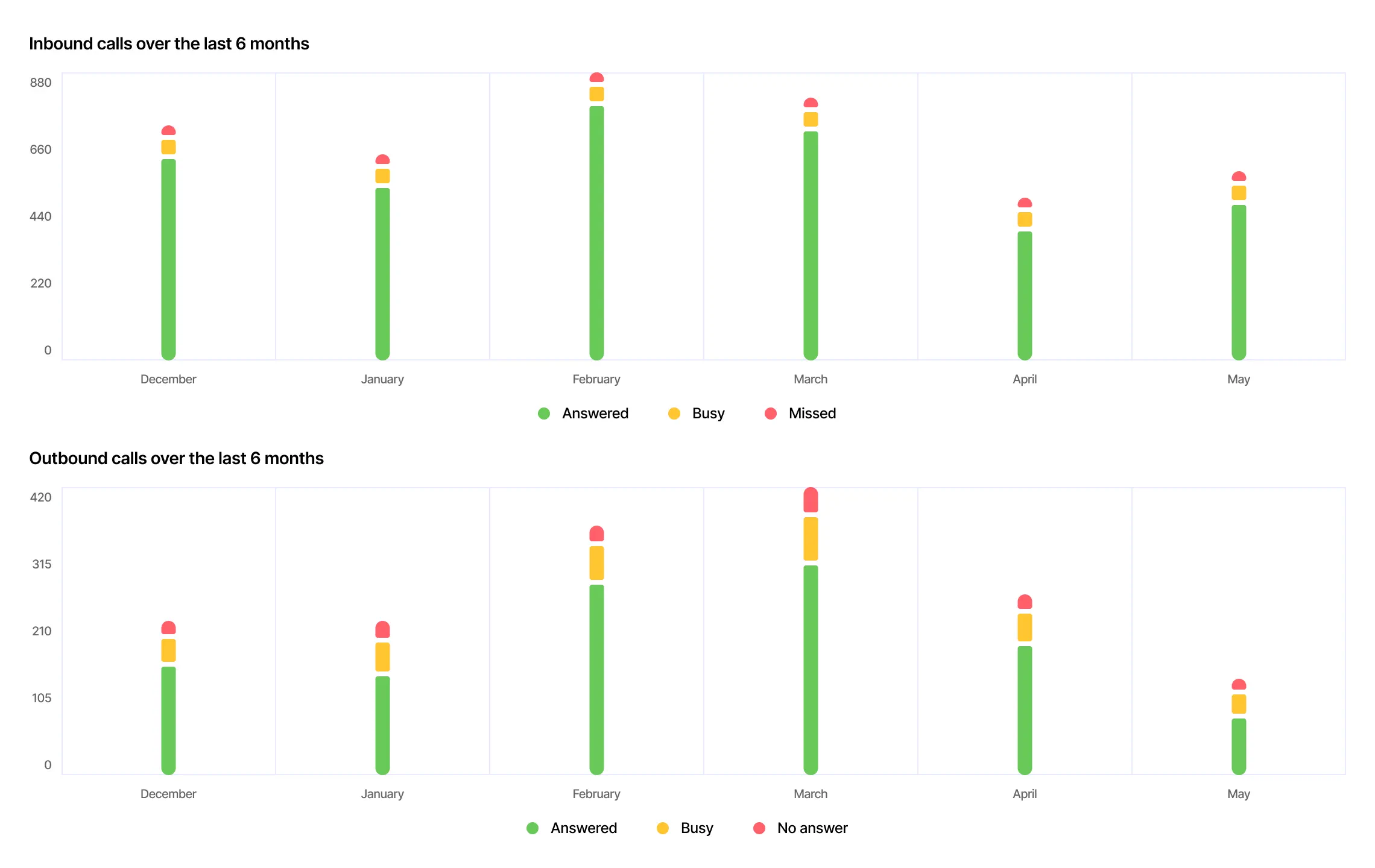
- Analyse call patterns during specific time periods, such as public holidays.
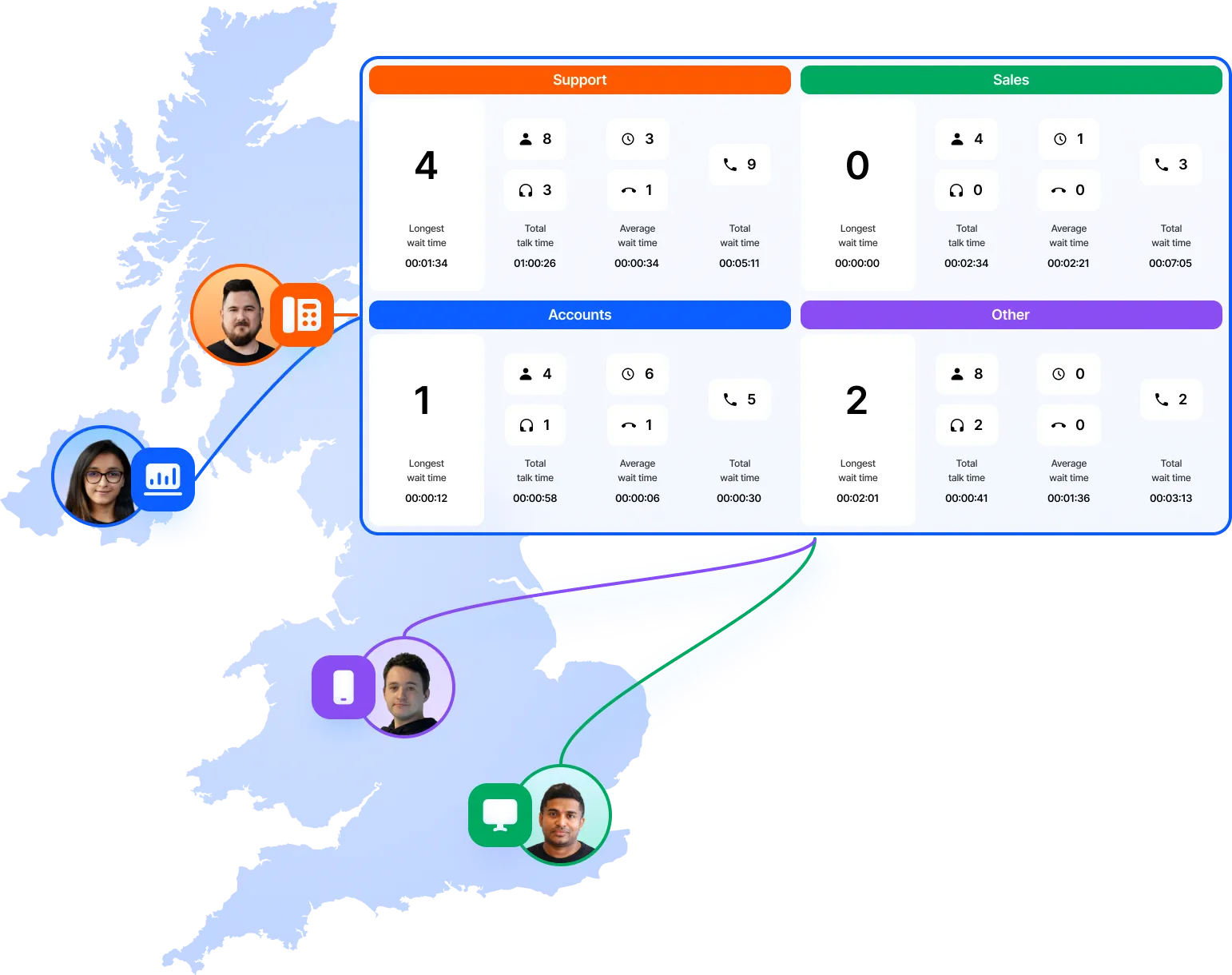
- Track call distribution among different departments and job roles.
Discover Queue wallboard
Customer experience
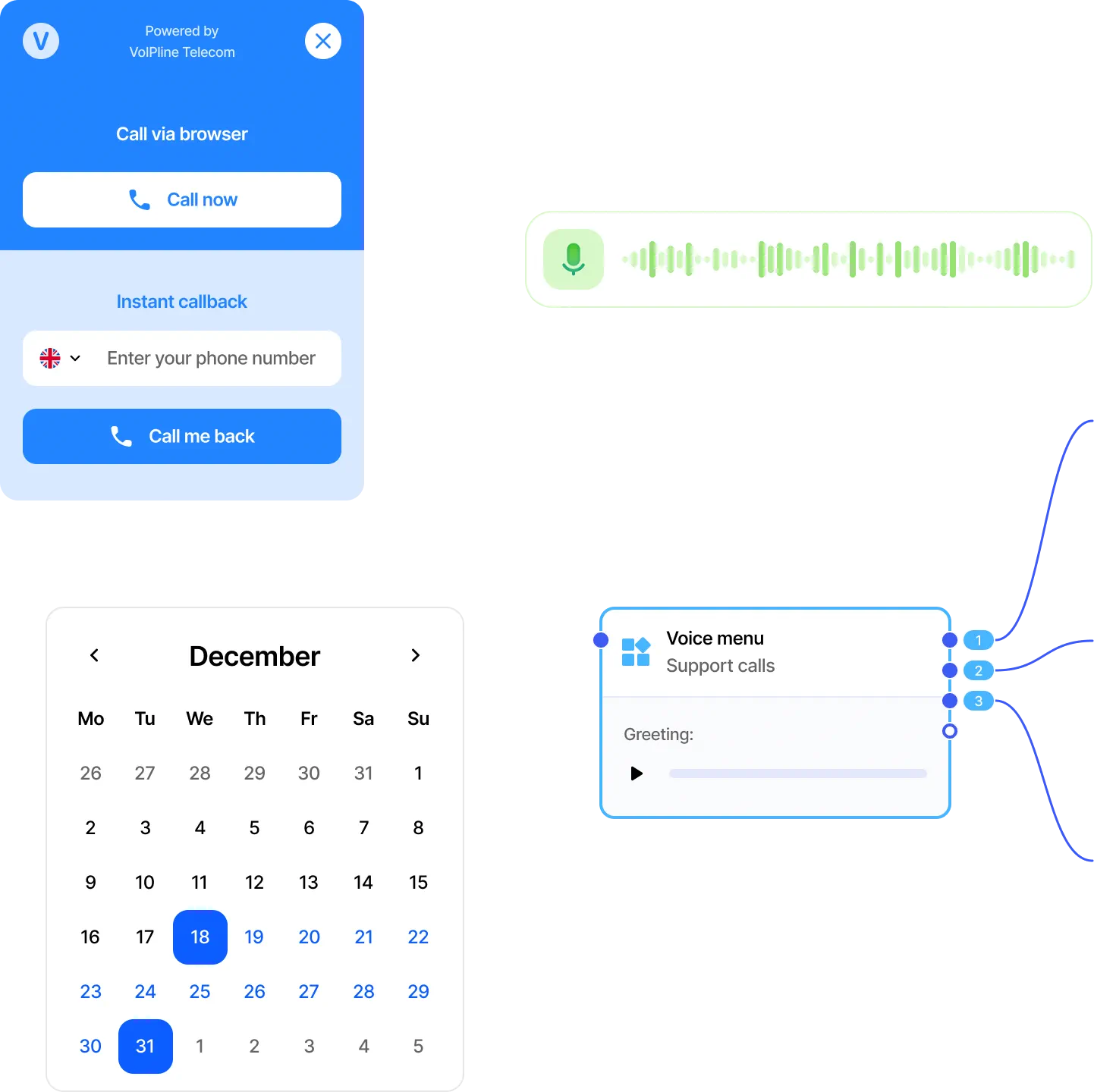
- Publish our widget on your website to facilitate customer engagement and analyse expanded reach through inbound calls.
- Assess customer service quality, staff product knowledge, and customer escalation handling through the call recording or live listen feature.
- Generate reports based on voice menu and call queue settings to gain insights into the customer journey.
- Monitor call attempts outside business hours.
Discover Call recording
Measure advertising campaigns and telemarketing
- Assign a unique phone number for each advertising campaign.
- Use a unique caller ID for outbound telemarketing campaigns.
- Identify peak call times to optimise staffing for promotions.
- Create webhooks to integrate inbound call data with your CRM, enabling you to analyse both the click-to-call conversion rate and from calls to sales.
- Assess call recordings to gauge staff proficiency in sales techniques, product knowledge and familiarity with promotions.
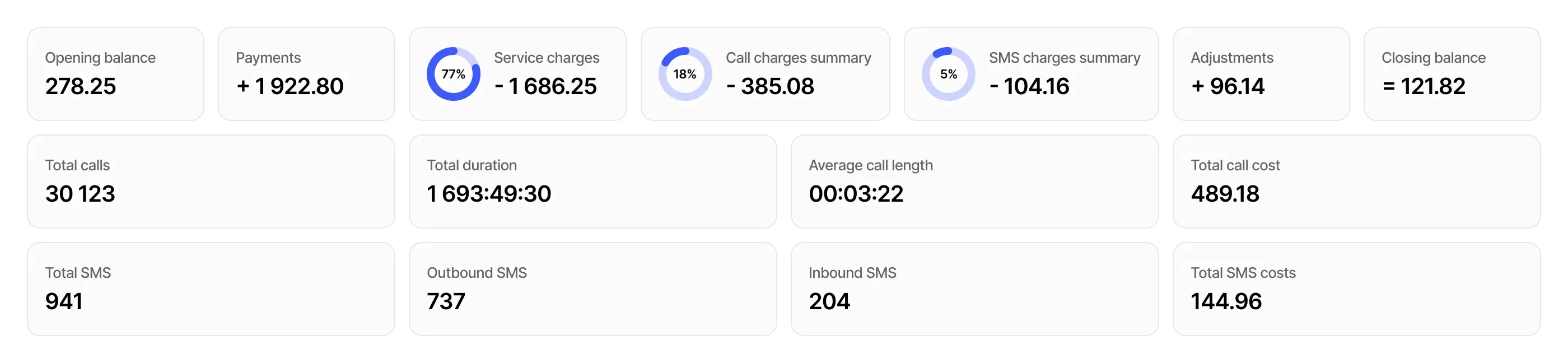
Cost analysis for product servicing and call expenses
- Understand your monthly spend.
- View projected monthly call volumes.
- Identify your frequently dialled destinations.
- Design your call flow to monitor servicing costs per product or service.
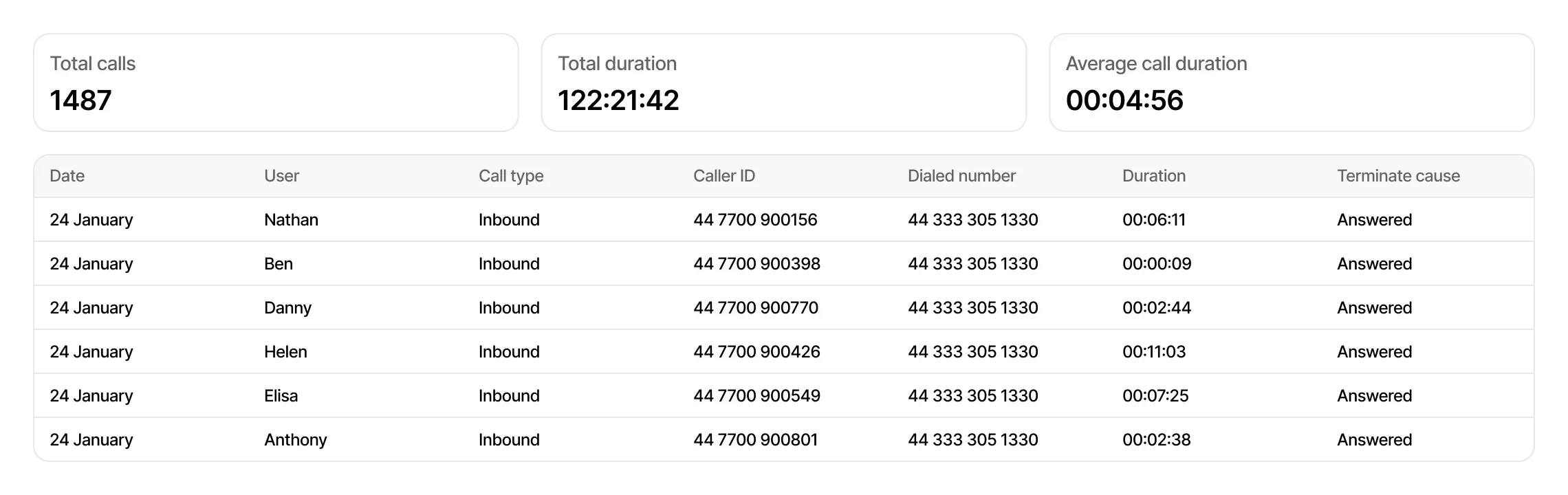
Comprehensive range of call reports
Multiple filters include call plan, object (user, queue, ring group, call recording), call type and status, contact, caller ID, dialed number, and more.
Calls can be filtered by date and time.
Export to PDF and CSV.
Daily reports via email or FTP.
A variety of graphs and tables for deeper insights.
Call history
User statistics
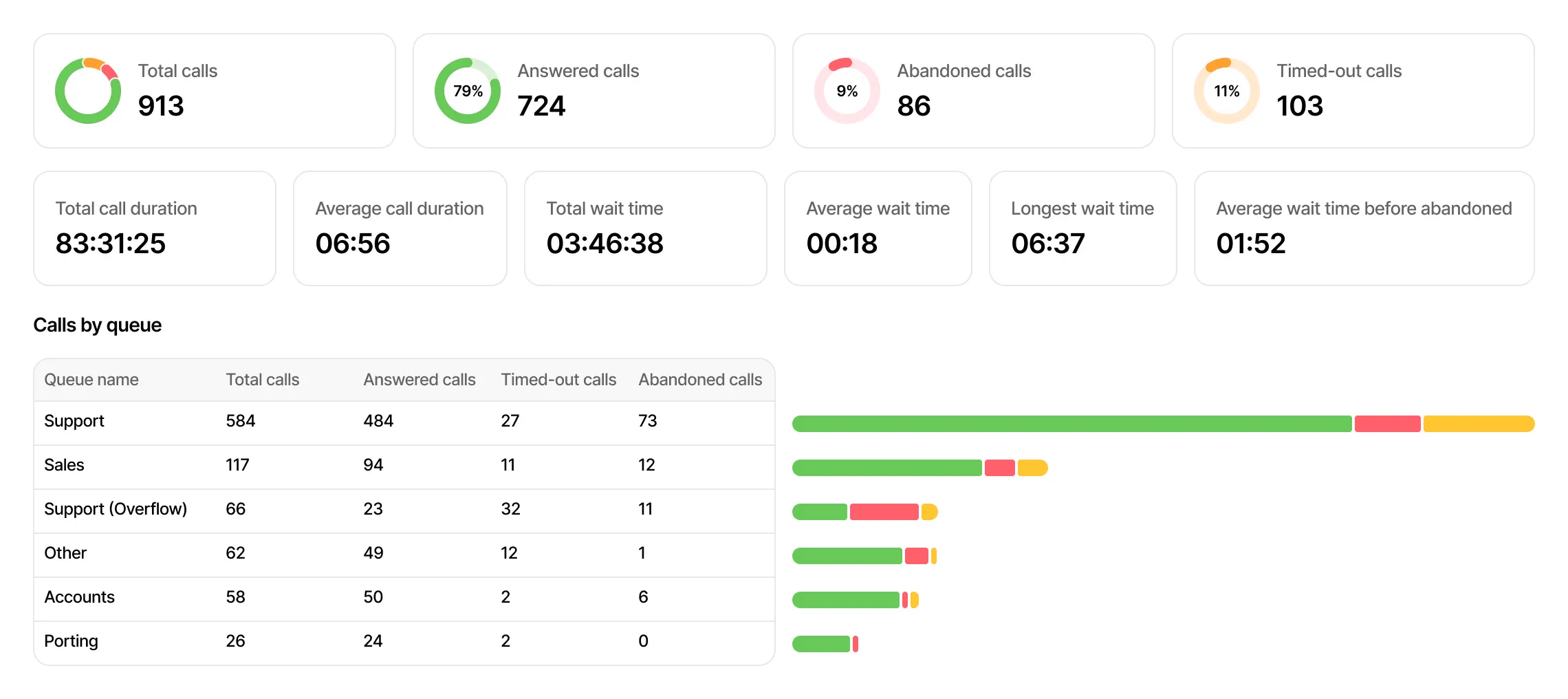
Queue and ring group statistics
Call recordings
Monthly call volume
Frequently asked questions
What are call analytics?
Call analytics track data related to incoming and outgoing calls, such as call volume, duration, hold time, and speed of answer.
This data helps businesses understand call behaviours,
improve customer experience, optimise marketing campaigns and more.
What call metrics and report filtering does VoIPline provide?
VoIPline includes metrics like total calls (answered, placed, missed, abandoned), call durations, wait times, and more.
Reports can be filtered by user, call queue, ring group, date and time.
Can VoIPline automatically send call analytics?
Yes, daily reports can be sent to specified email addresses in PDF and CSV formats, and to FTP servers in CSV format.
Reports include call history, queue statistics, ring group statistics, user statistics, and account balance.
How easy is it to access VoIPline call analytics?
Accessing call analytics is straightforward. Our customer portal provides ready-to-go reports, free of charge.
Are call recordings included in the analytics?
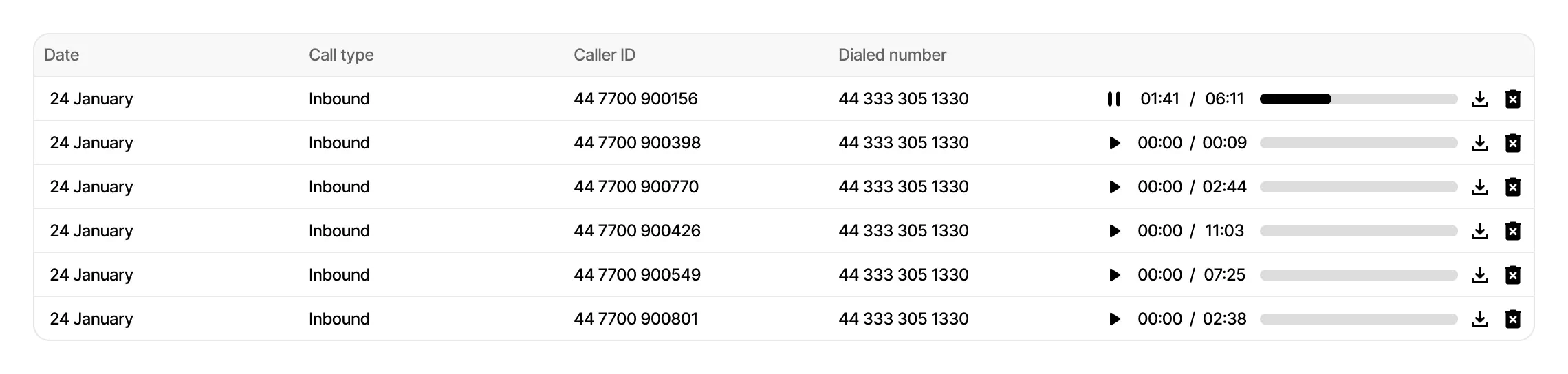
Yes, the call recordings report can be used to access all recordings stored in the cloud. Additionally, you can use filters
to pinpoint your desired calls. Please note that storing call recordings in the cloud is a paid service.